
Installer guide
How to set up a Telemetrix panel
Three ways to get it online: WiFi, a 4G SIM or an Ethernet cable. Ten minutes on site, no laptop software, no programming.
Have an older Telemetrix panel? The steps are the same. Have a panel with a Conta Clip GSM module instead? See changing a Conta Clip SIM card.
- 1
Connect the supply
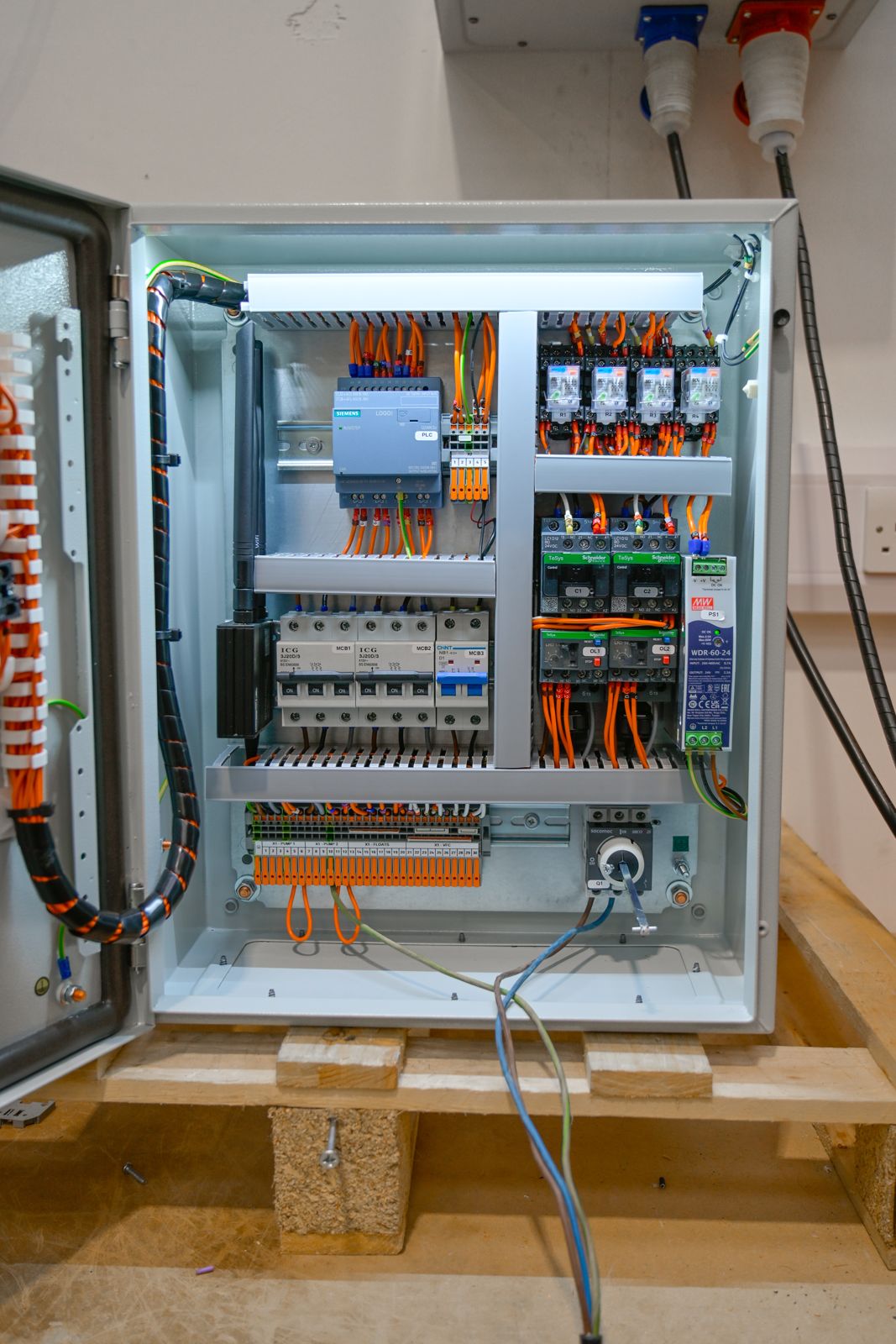
Installing a Telemetrix panel is almost no different from any other dual pump control panel. For 230V, use L1 for live and L2 for neutral on the isolator. For 400V, connect L1, L2 and L3 and safely terminate the neutral. Earth points on the terminals and the earth studs inside the panel can both be used.
- 2
Wait for the router
Power up. The panel router takes 5 to 10 minutes to start. The panel light is on as standard so you can see what you are doing.
- 3
Choose a connection
SIM card: put the SIM in the router and you are done. Ethernet: plug the cable into the site broadband. WiFi: follow the next two steps.
- 4
Join the panel WiFi
On your phone or laptop, connect to the WiFi network called TELEMETRIX T-xxxxxx. The password is on the label inside the door.
- 5
Point it at the site WiFi
Open a browser and go to http://192.168.187.1/connect.html. Select the client's WiFi network, enter the client's WiFi password and click connect. Allow two minutes for the router to restart.
- 6
Check the alerts
Once online, the contacts you gave us start receiving notifications for pump 1 trip, pump 2 trip, high level alarm and panel offline (power fail). To change contacts, use the Dashboard or email us the P number from the label inside the door.
Still not online?
- • No WiFi networks listed: wait the full ten minutes for the router, then reconnect to the TELEMETRIX network.
- • Connected but no alerts: check the site WiFi has internet access; a guest network with a captive portal will not work. Use a SIM instead.
- • Poor 4G signal in a kiosk: a multi-network SIM roams to the strongest network; an external antenna can be fitted.
- • Anything else: technical support on 01782 320400, Monday to Friday, 7am to 5pm.
Need another Telemetrix panel?
Stock units ship next working day. Order by phone or through the quote form.